

Benchmarking Software Implementation Checklist
TL;DR: Benchmarking software only creates value when it is tied to clear business outcomes, trusted data, and accountable owners.
Use this checklist to align stakeholders, select the right metrics, validate integrations, govern benchmarks, pilot safely, and turn insights into funded improvement initiatives.
Benchmarking Software Implementation Checklist: Align the Program to Business Outcomes
Cost overruns, inconsistent estimates, and scattered project data rarely come from one bad input. More often, they come from teams making decisions without a shared benchmark, a clear baseline, or a reliable way to compare performance across projects. Cost estimation software can help, but only when the implementation is designed to improve decisions, not just collect more data.
The pressure is real. Bids are tighter, project scopes keep expanding, and critical information often sits across disconnected systems. If benchmarking software is not tied to outcomes leadership actually cares about, it quickly becomes another dashboard people glance at instead of a management tool they use.
This section covers the groundwork to complete before you configure a single metric or run your first benchmark report. With clear goals, accountable owners, and practical success criteria in place, platforms like CostOS can help teams regain control and turn benchmarking into a repeatable decision process. Start here, then move into framework selection, data readiness, and rollout planning.
Define the Business Goals Behind Benchmarking Software
Before you choose a benchmarking tool or build a measurement framework, start with the simplest question: what are you trying to improve?
Without a clear business purpose, benchmarking software creates noise instead of insight. Teams track too many metrics, and most of them never connect to anything leadership needs to act on.
According to OpsLevel, engineering standards and measurement programs should be tied directly to goals such as security, reliability, or development speed. That same thinking applies to benchmarking.
Start by narrowing the program to the two or three outcomes your organization cares about most. Common examples include:
- Improving system reliability and reducing unplanned downtime
- Accelerating delivery speed across engineering teams
- Strengthening security posture and reducing vulnerability exposure
- Increasing developer productivity and reducing friction in workflows
- Measuring and improving customer-facing performance
Each of these outcomes can justify a benchmarking program, but each one calls for a different setup. A reliability-focused program will not look the same as one built around delivery speed. Defining the goal first keeps the work anchored in business need, rather than whatever happens to be easiest to measure.
Identify Executive Stakeholders, Owners, and Decision Rights
Even a well-designed benchmarking program can stall if ownership is vague. When nobody is responsible for reviewing results and acting on them, the data just sits in dashboards.
OpsLevel calls out ownership and governance as essential parts of any engineering standards initiative. The same rule applies here. If everyone is loosely responsible, no one really is.
To set up governance that works, your checklist should include:
- Executive sponsor: A leader who understands the program’s impact and can push action when benchmarks reveal issues
- Program owner: The person responsible for maintaining the framework, reviewing metrics, and coordinating with teams
- Decision rights: Clear authority around who can change benchmarks, set thresholds, and escalate results when needed
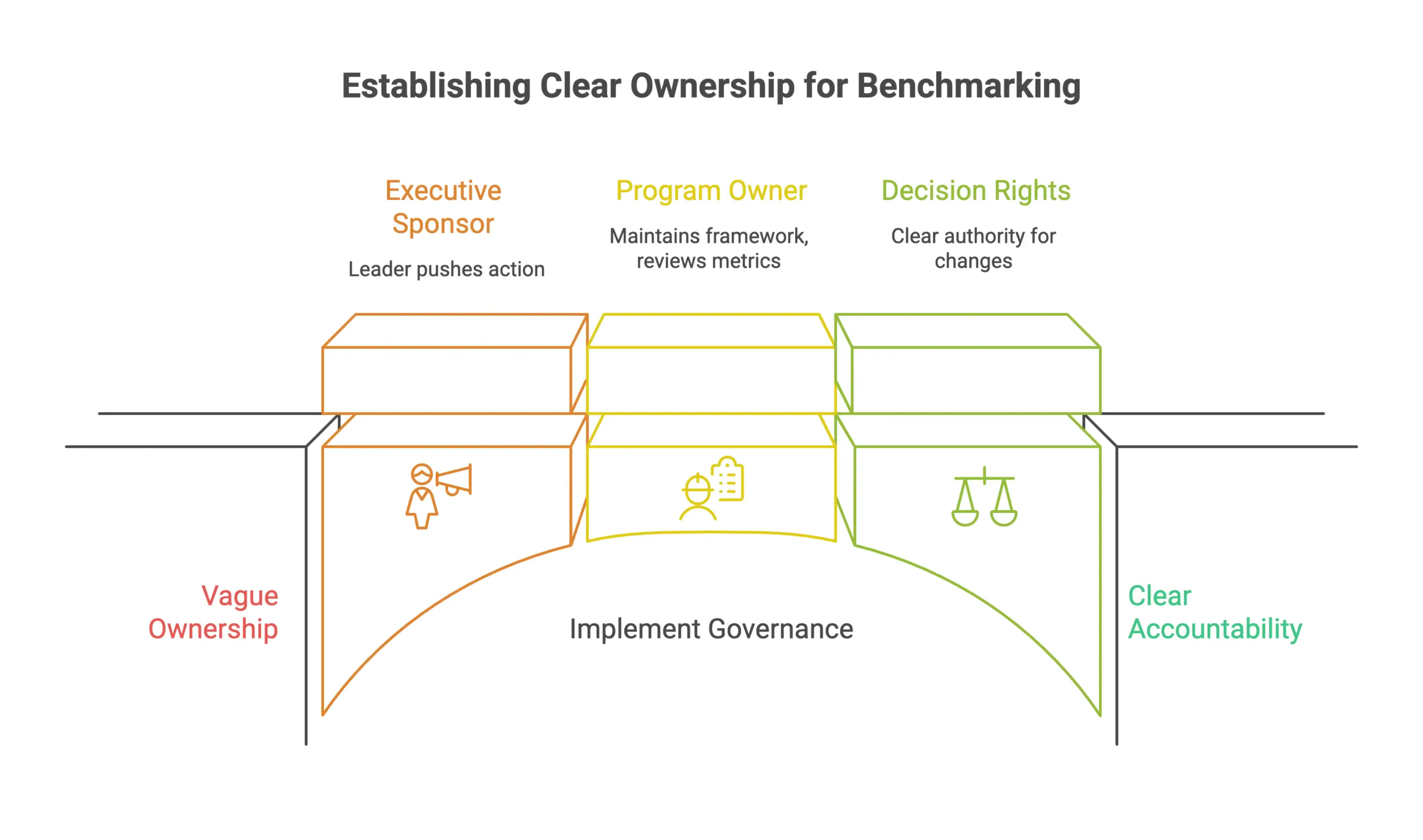
Decision rights are often where programs quietly break down. Teams may agree the results are poor, but still have no clear path forward because no one knows who can make the call.
Putting this structure in place early also sends the right signal to engineering teams: this is a real business initiative, not a reporting exercise that fades after launch.
Translate Benchmarking Goals Into Measurable Success Criteria
Once business goals and ownership are clear, the next step is turning those goals into something you can measure consistently.
This is where many programs lose focus. Goals like "improve reliability" or "increase developer productivity" sound useful, but they are too vague to guide action. If the success criteria are not measurable, there is no reliable way to tell whether the program is working or whether engineering practices are actually improving.
OpsLevel recommends keeping a single source of truth for engineering standards and reviewing them regularly so they stay relevant. For benchmarking, that usually means a living document or dashboard with agreed metrics, baseline values, target thresholds, and a review schedule.
When defining success criteria, focus on:
- Baseline first: Capture where things stand today before setting targets. Without a baseline, progress is hard to prove.
- Specific thresholds: Define what success looks like. "Reduce mean time to recovery by 20% within two quarters" gives teams something concrete to work toward. "Improve reliability" does not.
- Review frequency: Decide how often results will be reviewed and by whom. Monthly or quarterly reviews with named owners usually work better than informal check-ins.
- Criteria tied to business outcomes: Every metric should connect back to one of the goals defined earlier. If it does not support a business outcome, question whether it belongs in the program.
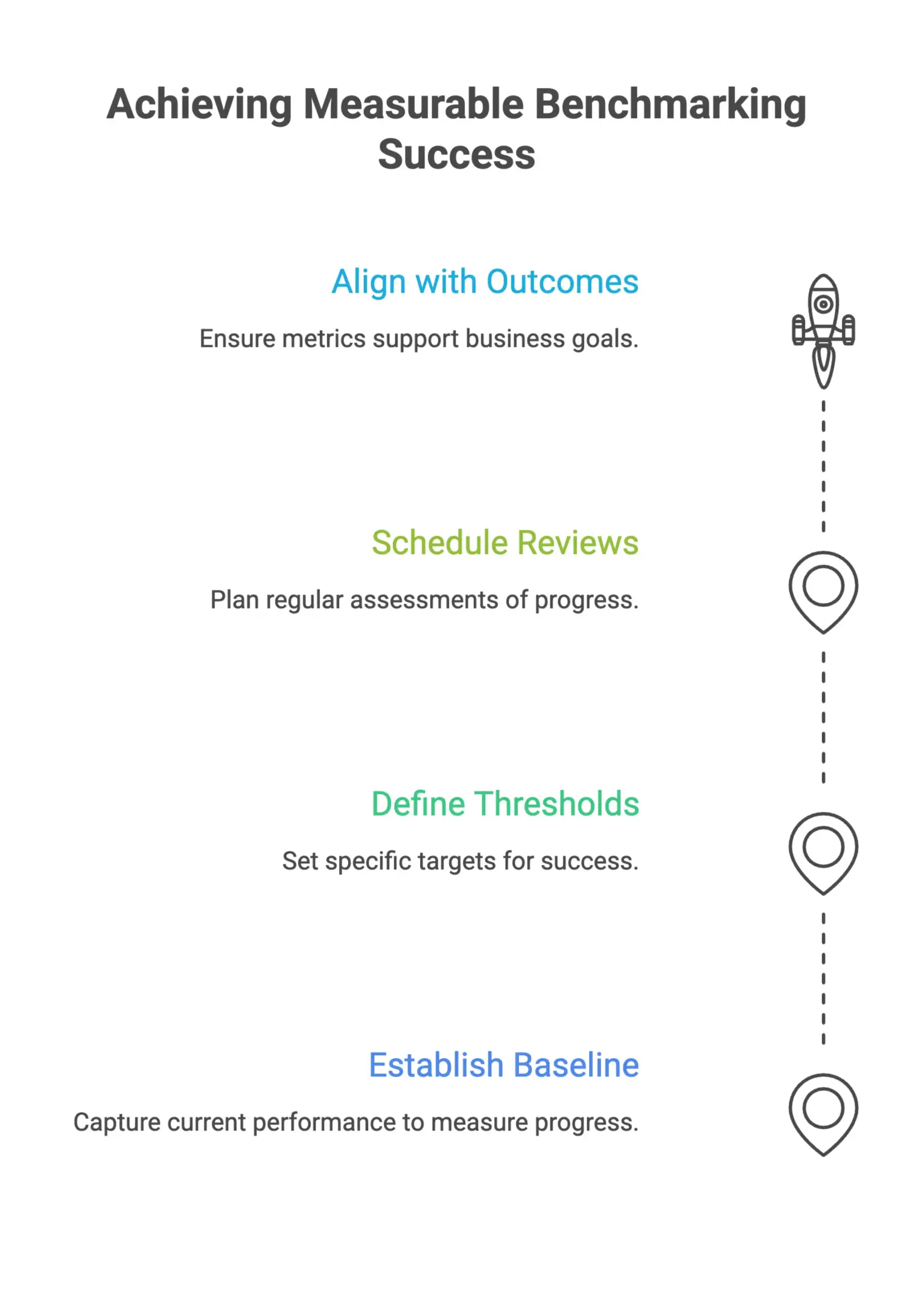
This is the point where benchmarking stops being a reporting task and starts becoming part of continuous improvement. The numbers inform decisions, and those decisions shape how teams work.
Choose the Right Benchmarking Frameworks and Metrics
Selecting the right benchmarking framework is where implementations usually start to make sense, or quietly drift off course. Without a clear measurement approach, teams end up tracking activity instead of results, and leadership is left with dashboards that look impressive but say very little about delivery health.
This section walks through how to build a measurement foundation grounded in proven research, adapted to your engineering environment, and designed to surface problems before they become expensive.
Start With Proven Software Delivery Benchmarks
Before deciding which metrics to track, anchor your benchmarking program to an established framework instead of inventing one from scratch. Starting from zero often pushes teams toward metrics that are easy to capture, not the ones that actually matter.
A stronger approach is to begin with benchmark categories already tested across large groups of engineering teams. According to DORA, its research framework is designed to help organizations measure both capabilities and outcomes across teams, and its 2025 materials connect measurement directly to software delivery performance and AI-assisted development practices.
That matters because a benchmarking program built on peer-reviewed, cross-industry data gives you a baseline you can stand behind. You are not only comparing performance to your own historical averages. You are comparing it to what strong teams across the industry actually look like.
When you are getting started, focus on benchmark categories that reflect delivery outcomes, not just team output. Output metrics tell you how much work got done. Outcome metrics tell you whether that work moved the business forward.
Use DORA Metrics as the Baseline for Engineering Performance
Once you commit to a proven framework, DORA metrics are usually the right starting point for most engineering organizations. They are widely used, well documented, and directly linked to software delivery performance.
As Checkmarx outlines, DORA defines four core DevOps metrics:
- Deployment frequency: How often your team successfully deploys to production
- Lead time for changes: The time it takes a code commit to reach production
- Change failure rate: The percentage of deployments that result in a failure requiring remediation
- Time to restore service: How quickly your team recovers when an incident occurs
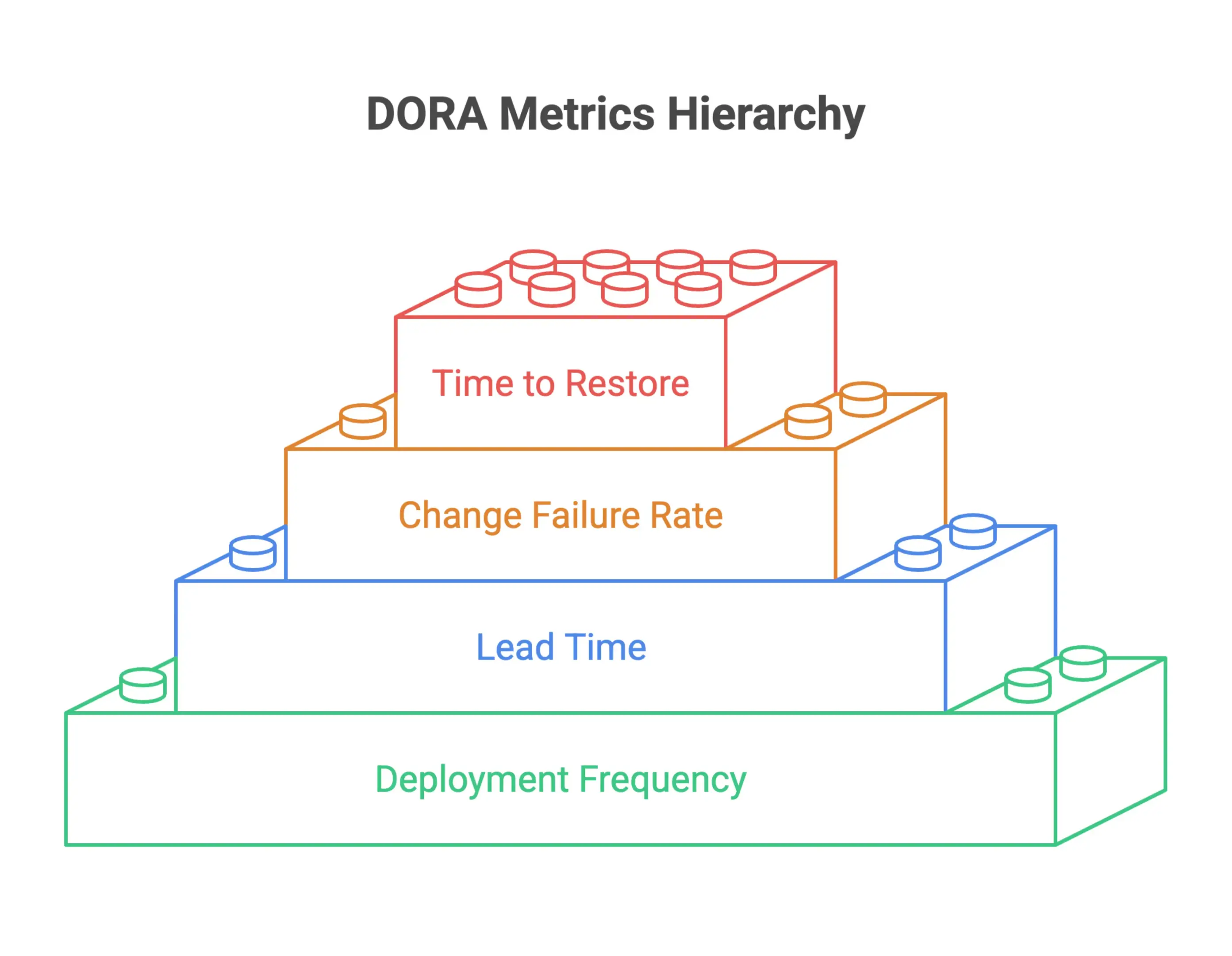
Together, these four metrics give you a balanced view of speed and stability. If you only track deployment frequency, for example, you know the team is shipping often, but you still do not know whether those releases are holding up in production. The DORA framework helps prevent that one-sided view.
Checkmarx also recommends automating metric collection and benchmarking against industry standards instead of relying on manually gathered or self-reported data. That advice is worth taking seriously. Manual collection tends to create inconsistent reporting and adds enough overhead that teams eventually stop maintaining it.
If your benchmarking software rollout is still early, getting clean, automated DORA data flowing consistently should be one of your first milestones.
Add Leading Indicators for Earlier Intervention
DORA metrics are valuable, but they are mostly lagging indicators. They tell you what has already happened. Deployment frequency reflects work that is already behind you. Change failure rate reflects issues that have already reached production.
If you want to catch problems earlier, you need leading indicators that expose friction while work is still moving through the pipeline.
LinearB recommends that most teams start with DORA metrics and then expand the program with leading indicators such as:
- PR size: Larger pull requests are harder to review, take longer to merge, and are more likely to introduce defects
- Pickup time: How long a pull request sits before a reviewer picks it up
- Review time: How long the actual review process takes once started
These metrics do not replace DORA. They fill in the gaps by showing where the workflow is slowing down before that slowdown appears in your DORA results.
LinearB also provides practical cycle time benchmarks that make the data easier to act on. Elite teams complete cycle time in under 26 hours, while teams in the needs-focus tier are above 167 hours. That kind of reference point makes benchmarking useful. Instead of asking whether your cycle time is simply good or bad, you can place it against a defined performance band and decide where to focus first.
Used together, DORA baselines and leading indicators give engineering leaders both a rearview mirror and an early warning system. That is the kind of measurement foundation a serious benchmarking program needs.
Benchmark Software Testing With the Right KPIs
Benchmark software testing should measure more than whether a system is technically alive. It should show how software performs against predefined standards that matter to users and the business. The most useful key performance indicators usually include response time, throughput, resource utilization, and error rates.
For software applications, it also helps to identify key performance indicators that reflect real usage patterns. A web application may need to prove it can sustain peak traffic without degraded response time. Another software product may need stronger load testing to validate scalability before launch.
Benchmark testing works best when the team defines clear objectives, then chooses appropriate benchmarks that reflect real world scenarios instead of synthetic averages. That makes the benchmark testing process more defensible, and it gives the development team accurate and reliable results they can trust during decision making.
Assess Data Readiness Before Software Implementation
Before a dashboard loads or a benchmark report gets generated, the data has to be in good shape. Benchmarking software is only as reliable as the information behind it. If your sources are fragmented, integrations are half-built, or governance rules are vague, even the best tool will produce numbers that teams hesitate to trust.
This section covers the groundwork to complete before implementation starts, including source mapping, quality checks, and integration planning across the tools your engineering and delivery teams already use.
Map Data Sources Across the Software Delivery Lifecycle
Useful benchmarking depends on capturing performance signals from every meaningful stage of the software delivery lifecycle. That starts with knowing where the data actually lives, not assuming a tool can pull everything in automatically.
Begin by auditing the systems used across planning, development, testing, deployment, and operations. Each stage usually produces a different set of data. Development workflows generate commit frequency, code review cycles, and merge rates. Testing environments produce defect density and coverage metrics. Deployment pipelines capture lead time, change failure rate, and deployment frequency. Operations and incident management systems hold recovery time data and stability indicators.
Getting this map in place early does two important things. First, it exposes gaps where key data is missing or trapped in silos with no clear way to extract it. Second, it helps separate the must-have integrations from the nice-to-have ones, so the implementation team can work in a sensible order instead of trying to connect everything at once.
Document every source with its owner, refresh frequency, format, and access method. That document becomes the reference point for every integration and governance decision that follows.
Validate Data Quality, Completeness, and Consistency
Knowing where the data lives is only the first step. You also need to confirm that it is actually fit for benchmarking.
Data quality validation for benchmarking software should focus on three areas:
- Accuracy: Does the data reflect what really happened? Timestamps, status fields, and event logs are common trouble spots, especially when records are edited manually or moved between systems.
- Completeness: Are there gaps in the historical record or missing fields that would block useful trend analysis? Incomplete data becomes a bigger problem when you are comparing teams or measuring change over time.
- Consistency: Are definitions used the same way across sources? A "deployment" in one team's pipeline may not mean the same thing as a "deployment" in ITSM records. Without common definitions, cross-team comparisons lose their value fast.
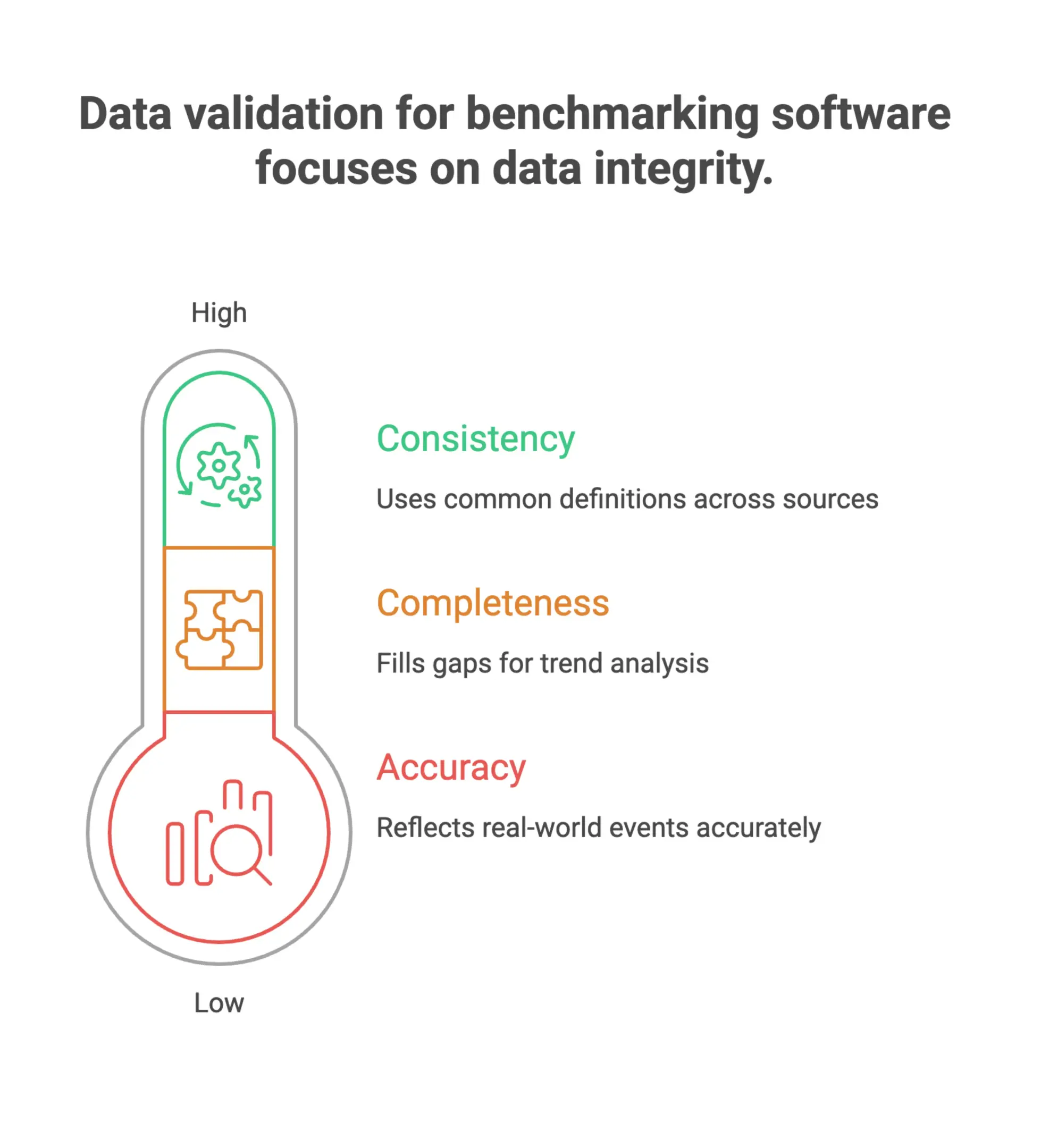
Run a data profiling exercise before configuration begins. That means sampling data from each source and checking for null values, duplicate records, format issues, and definitional mismatches. Problems found here are far easier to fix before the software is configured than after.
It is also smart to set a baseline for data health. Decide ahead of time how complete and consistent the data needs to be before it is credible enough for reporting, and stick to that standard rather than trying to work around weak inputs.
Plan Integrations With CI/CD, Version Control, ITSM, and Security Tools
Once your sources are mapped and the data has been checked, the next step is deciding how the benchmarking software will connect to them. For most engineering organizations, that means planning integrations across four core tool categories.
CI/CD pipelines are usually the highest priority because they produce the deployment and lead time metrics that sit at the center of most software benchmarking frameworks. Whether your teams use Jenkins, GitHub Actions, GitLab CI, or another tool, the integration needs to capture pipeline events reliably and at the right level of detail.
Version control systems such as GitHub, GitLab, or Bitbucket provide commit-level data, pull request activity, and branch lifecycle information. These inputs are essential for measuring delivery throughput and code review efficiency.
ITSM platforms like Jira Service Management or ServiceNow are often the source of record for incident data, change requests, and service restoration timelines. Connecting them makes it possible to benchmark reliability and operational stability alongside delivery performance.
Security tooling is showing up more often in benchmarking frameworks, especially for teams tracking vulnerability management lead times or measuring how quickly security findings move through the delivery pipeline. Nomitech products can support this kind of multi-source visibility by helping teams bring operational data together in a way that is easier to work with and compare.
Before configuration starts, define the following for each integration:
- Authentication method and required access permissions
- Data fields to extract and expected formats
- Refresh frequency and whether real-time or batch ingestion makes more sense
- Fallback behavior if the source system is unavailable or returns incomplete data
This is also the right stage to involve security and compliance teams. Data moving from operational systems into a benchmarking platform can cross organizational boundaries or contain sensitive metadata, so those flows need to be reviewed and approved before go-live.
Build Governance, Policies, and Operating Standards
As benchmarking programs mature and spread across teams, inconsistency becomes a real risk. Different people may interpret the same metric in different ways, duplicate versions of a benchmark can start circulating, and accountability can get fuzzy. Over time, that chips away at the value of even a well-built measurement system. Governance is what keeps that from happening.
This section covers the core checklist items that help organizations scale benchmarking with confidence. That means clear ownership, documented standards, and policies that work in modern workflows, including those that rely on AI and automation.
Create a Single Source of Truth for Benchmark Definitions
One of the most common ways benchmarking programs break down is through definitional drift. A productivity metric defined one way by one team gets used differently by another, and before long the benchmarks are no longer telling the same story.
The fix is simple in concept, but it takes discipline to do well: create a centralized repository where every benchmark is defined, versioned, and easy to access. It should include:
- The exact formula or methodology behind each metric
- The data sources it draws from
- The conditions under which it applies
- Any known limitations or exclusions
- A version history that tracks changes over time
This single source of truth becomes the reference point for anyone using, reporting on, or challenging a benchmark. It removes ambiguity and makes onboarding much easier, especially when new team members need to get up to speed without creating interpretation gaps.
For technical teams in cost engineering or EPC environments, this matters even more. Benchmark definitions tied to scope boundaries, unit rates, or productivity factors need to be precise and applied consistently across projects. Tools like Nomitech can support that kind of structure by keeping benchmark data organized and easier to govern at scale.
Establish Ownership for Metrics, Standards, and Reviews
A benchmark without an owner is a benchmark at risk. Someone needs to be accountable for maintaining each metric, reviewing it on a regular basis, and deciding when it needs to be updated or retired.
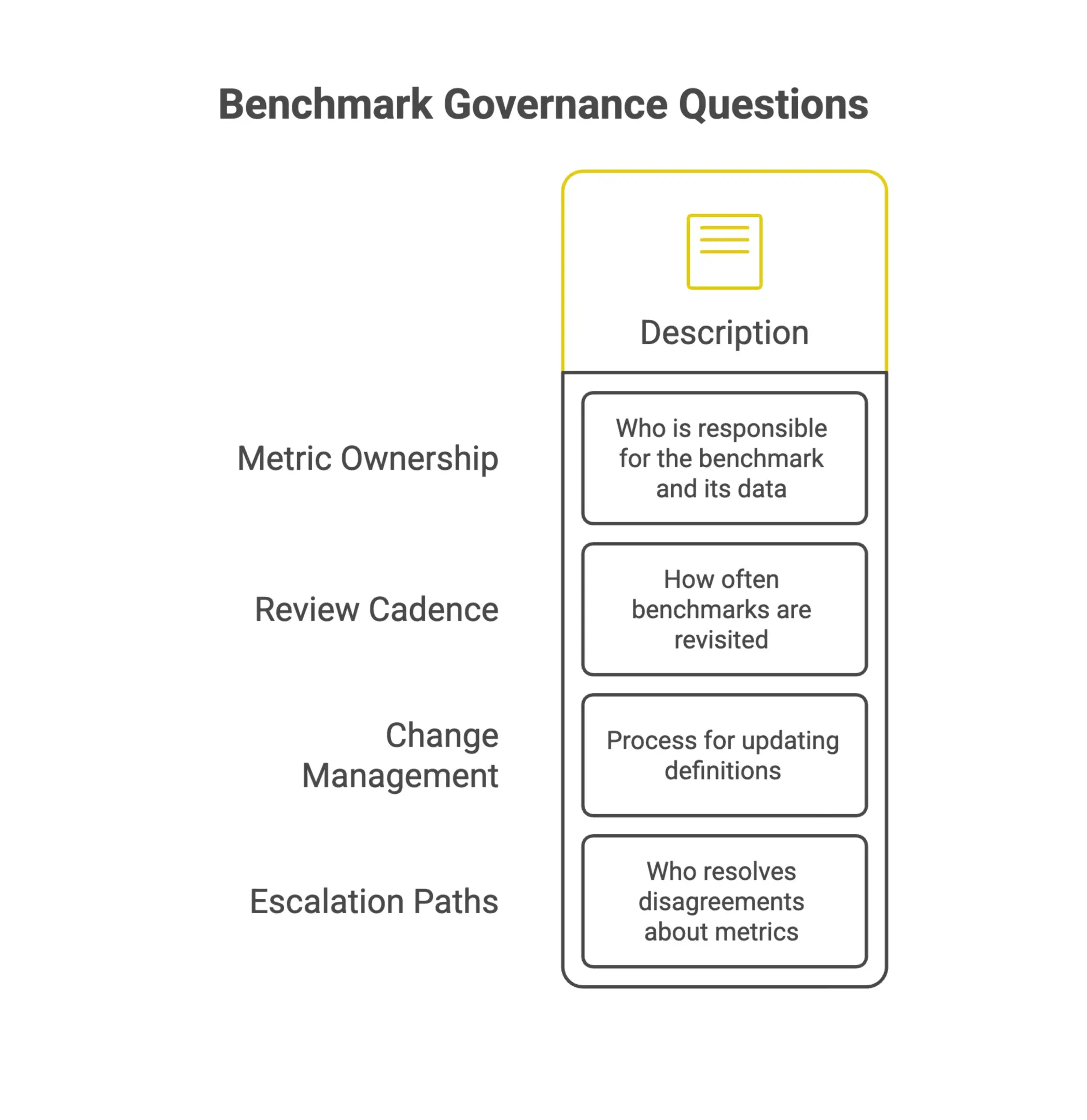
Governance structures for benchmarking programs usually need to answer a few basic questions:
- Metric ownership: Who is responsible for each benchmark and the data behind it
- Review cadence: How often benchmarks are revisited to confirm they are still accurate and relevant
- Change management: What process governs updates to definitions, thresholds, or methodologies
- Escalation paths: Who makes the call when there is disagreement about a metric or how it should be used
Ownership does not need to be overly formal. In smaller organizations, one analyst or team lead may own a group of related metrics. In larger programs, a standards committee or center of excellence may make more sense.
The key is that responsibility is clearly assigned, documented, and understood across the organization. Without that, benchmarks tend to go stale, get misapplied, or quietly fall out of use.
Document Policies for AI-Assisted Benchmarking and Automation
AI and automation are becoming part of how benchmarks are generated, monitored, and reported. That opens up new governance questions that many organizations are still working through.
When AI tools are part of the benchmarking workflow, whether for data extraction, anomaly detection, or predictive modeling, you need policies that define how those tools are used, what they can and cannot do on their own, and how their outputs are checked before they influence decisions.
Google Cloud notes that the 2025 DORA report recommends establishing clear AI policies before broad rollout, along with internal context, foundational practices, and safety nets. That guidance applies directly to benchmarking programs introducing AI-assisted workflows. Governance needs to come first, not after the tools are already in place.
At a practical level, your AI and automation policy should cover:
- Which parts of the benchmarking workflow can be automated
- What human review is required before automated outputs are used
- How AI-generated benchmarks are labeled or flagged to distinguish them from manually validated ones
- What safeguards are in place to catch and correct automation errors
- How the policy will be updated as AI tooling changes
This is not about limiting what technology can do. It is about making sure the team knows where the guardrails are and why they matter. When benchmarking outputs feed cost estimates, project bids, or performance reviews, the impact of an unchecked AI error is too big to ignore.
Put those policies in place early, before AI-assisted workflows become standard practice. It is far easier to build governance in from the start than to bolt it on later.
Build Benchmark Testing and Analysis Tools for Reliable Results
Benchmark testing only works when the team has the right analysis tools, the right test data, and a test environment setup that mirrors the production environment closely enough to validate performance. If the setup is weak, the benchmark test results will not give reliable results, and the software application's performance may look better or worse than it really is.
The benchmarking process should include preparation, performance tests, and post-test analysis. In practice, that means testing software applications under realistic load testing and stress testing conditions, then reviewing performance data to identify bottlenecks, common challenges, and potential bottlenecks before they become performance issues in production. Repeating tests more than once also helps validate performance and reduces the risk of one-off noise.
Implement Security and Compliance Benchmarks From Day One
Security and compliance are not things you tack on at the end. One of the most expensive implementation mistakes is treating them like post-launch cleanup. By the time the system goes live, configuration gaps can become real vulnerabilities, and compliance gaps can show up as audit findings. A better approach is to build both into the implementation checklist from the start, so critical controls are not postponed or missed.
Select Relevant Security Configuration Benchmarks
Before you configure anything, you need a clear reference for what “secure” actually means in your environment. That is where configuration benchmarks come in.
Center for Internet Security publishes CIS Benchmarks, which are prescriptive configuration recommendations for more than 25 vendor product families. These are not broad best-practice statements. They spell out specific settings for operating systems, cloud platforms, databases, and more.
The selection process is straightforward: identify the technology you are implementing, narrow it to the right subcategory, and pull the latest benchmark version. Doing this during planning means your team is working from a documented standard from the outset instead of making one-off decisions that need to be revisited later.
A few practical steps to get started:
- Map your technology stack to the relevant CIS Benchmark families
- Assign each benchmark to the right owner for review and implementation
- Document any deviations from the benchmark and why they were necessary
- Set a regular review cycle to keep up with new benchmark releases
Getting this right early removes guesswork and gives your implementation a defensible security baseline before production ever comes into play.
Embed Security Testing and Quality Gates Into CI/CD
Configuration benchmarks define the standard. Your CI/CD pipeline is what keeps it enforced.
DX recommends building security into the software development lifecycle from the beginning, including threat modeling, static analysis, dynamic analysis, and vulnerability scanning directly in the pipeline. Paired with automated quality gates, these checks stop insecure or non-compliant code from moving forward.
That changes the way teams work. Instead of finding problems after deployment, the pipeline catches them as soon as they are introduced. Fixes happen while the context is still fresh, and remediation is usually much cheaper.
Key elements to include in your pipeline setup:
- Threat modeling during design to surface risks before they are built in
- Static analysis to catch known vulnerability patterns in source code
- Dynamic analysis to test how the running application behaves under security scrutiny
- Vulnerability scanning across dependencies and infrastructure
- Automated quality gates that block progression when security thresholds are not met
- Automatic rollback capabilities so a failed security check can reverse a deployment without manual intervention
These are not nice-to-have extras for mature teams. They are baseline implementation practices, regardless of project size or team structure.
Define Compliance Reporting Requirements for Leadership and Auditors
Technical controls only solve part of the problem. Leadership and auditors still need evidence that those controls are working, and that evidence has to be consistent, structured, and easy to pull when needed.
That is why compliance reporting requirements should be defined before implementation is finished, not after someone requests a report and the team has to scramble. Early decisions about what to log, what to measure, and how to present the data will determine whether your compliance posture holds up under review.
Start by identifying who will use the reports and what they need to know:
- Leadership: usually wants visibility into overall risk, open findings, and remediation progress
- Auditors: need traceable evidence that controls are in place and operating as intended
- Engineering teams: need detailed output from scanning and testing tools so they can act quickly
From there, build reporting into the implementation workflow instead of treating it as a separate task. That includes:
- Defining which compliance frameworks apply and mapping controls to them
- Making sure automated tools in your CI/CD pipeline produce audit-ready output
- Setting a cadence for reviewing and sharing compliance reports with the right stakeholders
- Creating a clear process for documenting exceptions, waivers, and remediation timelines
When compliance reporting is designed alongside the system itself, audits become a routine check instead of a last-minute scramble. That only works when security and compliance are treated as core implementation requirements from day one.
Validate Performance in the Production Environment
Security is only part of the story. Benchmark software testing should also confirm how the software performs in the production environment or in a test environment that closely mirrors it. This is where performance tests, load testing, and stress testing become essential. They show whether resource utilization stays within acceptable limits, whether response time meets user expectations, and whether network performance introduces hidden delays.
For web application teams, benchmarking software testing should also compare internal benchmarks against predefined benchmarks and industry standards. That gives the development team valuable insights into software quality and helps identify areas where performance optimization efforts can improve the overall performance of the software product.
Pilot the Benchmarking Software Before Enterprise Rollout
Rolling benchmarking software out across the entire organization without a structured pilot is one of the easiest ways to create avoidable problems. A controlled pilot gives your team a chance to validate workflows, uncover integration issues, and build confidence before you commit to a full deployment. Think of it as a stress test, not a delay.
The checklist below covers the steps that reduce real risk, not just the ones that tick a compliance box.
Choose Pilot Teams With Representative Workflows
A pilot is only useful if it reflects how your organization really works. If you select teams with unusual or overly simple workflows, you may move faster through the pilot, but you will miss the issues that matter most.
Start with two or three teams that represent the range of use cases the software needs to support. That should include teams handling complex data inputs, teams working to tight reporting deadlines, and ideally at least one group that has struggled with technology adoption in the past. If the benchmarking software will be used across estimating, project controls, and engineering, your pilot group should reflect that mix.
Keep the scope focused. The goal is not to test every possible scenario at once. It is to confirm that the software performs reliably in your most common and most demanding workflows. Make sure you document what is included in the pilot and what will wait until later, so there are no surprises when you scale.
Test Benchmark Dashboards, Alerts, and Reporting Cadence
A benchmarking tool is only as valuable as the information it puts in front of people. During the pilot, your team should test every reporting surface the software offers, including dashboards, automated alerts, and scheduled reports.
Work through the following during your pilot:
- Dashboard accuracy: Do the metrics line up with the source data? Are the visuals easy for the intended audience to read and trust?
- Alert configuration: Can thresholds be set to match your actual performance targets? Do alerts arrive often enough to be useful, but not so often that people tune them out?
- Reporting cadence: Does the software support the rhythm your stakeholders rely on, whether that is weekly project updates, monthly executive summaries, or real-time operational views?
Use realistic data volumes during this phase. Benchmark tools that look solid with clean sample data can behave very differently once they hit the messiness of live project environments. Catching those edge cases early is much easier than cleaning them up after go-live.
Validate Change Management, Training, and Adoption Barriers
Even well-designed software can fail if users are not ready to adopt it. The pilot is your best chance to spot resistance, confusion, or workflow friction before those issues spread across the organization.
During the pilot, pay close attention to these signals:
- Training gaps: Can users complete core tasks on their own after onboarding, or do they keep needing help?
- Workflow conflicts: Does the software force people to change familiar habits in ways that feel disruptive instead of useful?
- Feedback patterns: Are the same concerns coming up again and again across different users? That kind of repetition usually tells you something real.
Bring your change management team in early, not after the pilot ends. The feedback from pilot users should shape your training materials, onboarding process, and internal communications for the broader rollout.
Capturing both usage data and direct user feedback gives you a stronger basis for the enterprise go or no-go decision. It also shows you where to adjust configuration or add training support before the rollout expands.
Run Benchmark Testing Process Checks Before Go-Live
Before the rollout expands, the team should run the full benchmark testing process again with production-like test data and a controlled test environment. This final check helps validate performance under real world scenarios and confirms the software application's performance is stable enough for broad use. It is also the right time to identify performance bottlenecks, confirm response time targets, and ensure the software benchmarking approach is producing benchmark results that leadership can trust.
Scale Benchmarking Across Teams Without Creating Metric Debt
Expanding benchmarking software beyond one team sounds simple on paper. In practice, it often creates scattered dashboards, duplicated reporting, and metrics that get used as weapons instead of tools for improvement. Scaling benchmarking well means building shared infrastructure without losing the context that makes the numbers useful in the first place.
This section walks through how to grow benchmarking practices across engineering, DevOps, platform, security, and product teams while keeping metrics useful, honest, and actionable.
Standardize Dashboards While Preserving Team Context
One of the most common mistakes when scaling benchmarking is forcing every team into the same dashboard template. Standardization matters for cross-team visibility, but it becomes a problem when it strips away the nuance each team needs to interpret its own data correctly.
The better path is to set a shared framework at the organizational level, such as common naming conventions, baseline metric definitions, and reporting cadence, while still allowing teams to add the context that matters to them. A DevOps team tracking deployment frequency does not have the same performance drivers as a security team measuring mean time to detect vulnerabilities. Both need to fit into the same organizational view, but the story behind the numbers should not be identical.
When building these dashboards, prioritize:
- Consistent metric definitions across teams so comparisons are actually apples-to-apples
- Team-level annotations that explain anomalies, seasonal patterns, or known constraints
- Role-based views so executives, team leads, and individual contributors each see what matters to them
Keeping context intact is not just a usability issue. It is what separates benchmarking that supports better decisions from benchmarking that creates confusion.
Automate Collection to Reduce Manual Reporting Burden
Manual data collection is one of the fastest ways to drain momentum from a benchmarking program. When engineers spend hours each week moving numbers into spreadsheets, the process starts to feel like busywork rather than something genuinely useful. Manual reporting also introduces inconsistency, which slowly weakens the reliability of your benchmarks.
Automating data collection removes that friction. Teams are no longer responsible for assembling the data, only for interpreting it and taking action. Integration with existing tools, whether that is CI/CD pipelines, infrastructure monitoring platforms, or ticketing systems, lets benchmarks update continuously without constant human handling.
A few principles are worth following when automating collection:
- Map your data sources before choosing tooling. Know where the ground truth lives for each metric before building pipelines around it
- Build validation checks into automated flows so bad data is flagged instead of quietly blended into your benchmarks
- Document the collection logic clearly so teams understand what is being measured and how, not just what the number says
Reducing the reporting burden also has a second benefit: it shifts team energy from producing metrics to actually using them. That is the real point of benchmarking software.
Use Benchmarks for Improvement, Not Punitive Performance Management
This is the issue most benchmarking rollouts eventually have to face directly. When teams believe benchmarks will be used to evaluate or penalize them, they stop engaging with the data honestly. Metrics get gamed. Context gets left out. Before long, the system still produces clean-looking dashboards, but the numbers do not mean much.
Benchmarking software is most effective when it is treated as a diagnostic tool, not a scoreboard. The goal is to show where processes are slowing down, where bottlenecks are forming, and where investment is needed. It is not to rank teams against each other or create accountability theater.
Practically, this means:
- Setting clear organizational guidance that benchmarks are used for trend analysis and improvement planning, not individual or team performance reviews
- Involving teams in setting their own benchmarks and targets so they have real ownership of the numbers
- Treating outliers as signals worth investigating rather than failures worth punishing
Leadership tone matters a lot here. If senior stakeholders consistently use benchmark data to question underperformance instead of support improvement, teams will adjust their behavior accordingly, and the quality of the data will suffer.
Scaling benchmarking across multiple teams is absolutely possible, but it takes deliberate choices around structure, automation, and culture. Get those foundations right, and benchmarking becomes a shared language across the organization instead of another reporting task nobody trusts.
Compare Internal Benchmarks With Other Benchmarks
As the program matures, compare internal benchmarks with other benchmarks from industry standards, peer groups, and predefined standards. That comparison helps teams identify areas where software performance is lagging, where software performs well, and where software performance improvements are likely to deliver the biggest return. It also gives leadership a better basis for informed decisions and decision making across different teams.
Use AI-Assisted Benchmarking Responsibly
AI is no longer something benchmarking teams can afford to leave for later. It is already part of how many organizations collect, analyze, and act on performance data. The real question is not whether to use it, but how to use it well. For leaders building or refining a benchmarking software implementation checklist, responsible AI adoption comes down to balancing capability with control.
Assess Where AI Can Improve Benchmarking Workflows
Before you add AI to your benchmarking process, take a hard look at where it genuinely helps and where it just adds complexity.
AI tends to deliver the strongest value in repetitive, high-volume analytical work. In benchmarking workflows, that often includes:
- Pattern recognition across large cost or performance datasets
- Automated flagging of outliers or anomalies in project data
- Faster report generation and data normalization
- Surfacing historical comparisons that would take analysts hours to pull together manually
The adoption curve is already moving fast. According to McKinsey, 78% of organizations now use AI in at least one business function, up from 55% just a year earlier. That kind of jump suggests AI is becoming part of standard operating practice, not just a differentiator for early movers.
For benchmarking teams, the best place to start is with a workflow audit. Map the process from data ingestion through to insight delivery, then pinpoint the steps that are most time-consuming, most error-prone, or most dependent on manual judgment. Those are usually the best candidates for AI support, especially in tools that need to handle benchmarking data at scale, such as Nomitech-based workflows or similar estimation environments.
Set Guardrails for AI-Generated Insights and Recommendations
AI can speed up benchmarking analysis, but speed without oversight creates risk. Automated insights are only as solid as the data and logic behind them, and in benchmarking, a bad recommendation can push project decisions in the wrong direction.
That is why governance needs to be built into the process from the start. It is not a nice-to-have. It is part of responsible implementation. Consider putting these guardrails in place:
- Human review checkpoints: Require analyst sign-off before AI-generated outputs are used in decision-making
- Data quality standards: Define the minimum completeness and accuracy thresholds data must meet before AI tools process it
- Explainability requirements: Make sure AI recommendations can be traced back to specific inputs and logic, not just final outputs
- Version and audit trails: Log which model version produced each insight, especially for compliance-sensitive benchmarks
McKinsey also notes that 71% of organizations now regularly use generative AI in at least one business function, up from 65% earlier in 2024. With adoption moving that quickly, governance has to keep up. If it lags, teams end up using AI tools faster than they can control them.
For benchmarking software implementations, your checklist should include a formal AI governance policy covering data privacy, model transparency, and clear escalation steps when outputs look inconsistent or questionable.
Prioritize End-User Value Over Generic Productivity Claims
A common mistake in AI-enabled implementations is chasing the headline metric instead of the actual user experience. Saying AI cuts reporting time by a certain percentage sounds good in a business case. But if estimators and project engineers do not trust the output, or cannot make sense of it, the productivity gain is mostly theoretical.
A responsible benchmarking software implementation keeps the end user at the center of every AI-related decision. That means:
- Involving estimators, engineers, and project managers in evaluating AI features before full deployment
- Measuring adoption and confidence alongside speed and output volume
- Designing AI-assisted interfaces that explain recommendations in plain language, not just display them
- Providing training that helps users understand what the AI is doing and when to override it
The broader adoption data from McKinsey makes the point even more clearly. AI is being folded into business functions at pace, which means the tools your team uses will likely include AI-driven features whether they are obvious or not. Building user literacy and trust into the implementation plan helps make sure those features are actually used, and used well.
In the end, AI in benchmarking should make your team sharper and more confident in its decisions, not more dependent on outputs it cannot explain or verify.
Frequently Asked Questions
What should be defined before implementing benchmarking software?
Start with the business outcomes you want to improve, such as reliability, delivery speed, security posture, productivity, or customer-facing performance. Then assign executive sponsorship, program ownership, decision rights, measurable success criteria, baseline values, target thresholds, and a review cadence.
Which metrics should benchmarking software track first?
Most engineering organizations should start with proven software delivery benchmarks, especially DORA metrics: deployment frequency, lead time for changes, change failure rate, and time to restore service. Leading indicators such as PR size, pickup time, and review time can then help teams spot workflow friction earlier.
Why is data readiness important before implementation?
Benchmarking software is only as reliable as the data behind it. Teams should map data sources, validate accuracy, completeness, and consistency, and plan integrations with CI/CD, version control, ITSM, and security tools before configuration begins.
How can teams avoid metric debt when scaling benchmarking?
Standardize benchmark definitions, automate collection where possible, preserve team-level context, and use benchmarks for improvement rather than punitive performance management. Clear ownership and governance help prevent duplicated dashboards, stale metrics, and inconsistent reporting.
How should AI be used in benchmarking software?
AI can support pattern recognition, anomaly detection, report generation, and data normalization, but it needs guardrails. Human review, data quality standards, explainability requirements, audit trails, and formal AI governance policies should be in place before AI-generated insights influence decisions.
Post-Implementation Optimization and Continuous Improvement
Deploying benchmarking software is not a one-time event. The real value shows up after go-live, when teams use benchmark data to spot gaps, confirm progress, and make better decisions about where to invest next. This final section of the checklist focuses on what happens once the system is live: keeping benchmarks accurate, reading performance trends with context, and turning data into action.
Review Benchmarks on a Monthly or Quarterly Cadence
Benchmarks lose value fast when they are treated like fixed reference points. Project conditions change, teams evolve, and delivery expectations shift over time. A regular review cycle, monthly for fast-moving environments or quarterly for more stable programs, keeps the data your teams rely on relevant and dependable.
During each review, teams should ask a simple question: do these benchmarks still reflect current project scope, resource availability, and delivery standards? If those conditions have shifted meaningfully, the benchmarks need to be updated before they can guide decisions with any confidence.
This cadence also creates a useful checkpoint for catching measurement drift, where data collection methods change gradually over time and start distorting comparisons. Spotting those issues early prevents small inaccuracies from turning into a much bigger problem later.
Compare Trends Against Baselines and Target Thresholds
A single data point rarely tells the full story. A trend shows whether performance is improving, flattening out, or slipping, and how quickly that change is happening. Comparing current benchmark results against established baselines and target thresholds is what turns raw output into something teams can actually use.
When reviewing trends, pay attention to direction and consistency, not just one-off results. A brief dip in one reporting period might come down to a resourcing issue or an unusual scope change. A sustained decline points to something deeper that needs a closer look.
Target thresholds act as guardrails. If a metric keeps missing its threshold, that’s a clear sign of a gap that should be addressed directly. If it keeps outperforming expectations, the original target may have been too conservative and could be worth revisiting.
This kind of comparison also makes it easier to explain performance to stakeholders who are not close to the technical details. Trend data shown against a known baseline gives leadership the context they need to judge whether the program is meeting its commitments.
Turn Benchmark Insights Into Funded Improvement Initiatives
Finding a performance gap is only useful if it leads somewhere. One of the most common breakdowns in benchmarking programs is the gap between what the data reveals and what the organization does next. Insights that never make it into funded, resourced initiatives usually go nowhere.
The goal is to create a direct path from benchmark findings to the planning process. When a review highlights consistent underperformance in a specific area, that result should become a clearly defined improvement initiative with an owner, a timeline, and the right resources behind it.
That also means benchmarking needs visibility at the level where budget decisions are made. If results stay locked inside delivery teams and never reach program or portfolio leadership, it becomes much harder to secure the investment needed to address root causes. Tools like Nomitech can help teams keep that visibility consistent, so benchmark findings are easier to track and act on across the organization.
Over time, this cycle of measurement, review, and funded response is what drives lasting improvement in software delivery performance. It moves benchmarking beyond reporting and turns it into a practical management tool, one that connects operational data to strategic decisions and keeps teams focused on measurable progress.
Ready to Take the Next Step?
If you’re exploring modern cost estimation platforms, check out Nomitech’s full suite or get in touch with our team to find the right fit for your workflows.





Stay Up to Date
Subscribe to our Newsletter today and receive the latest updates, trends, expert insights, and exclusive offers tailored to your specific industry.